

目的
步骤
add all files
Shell
~ git add .
commit
Shell
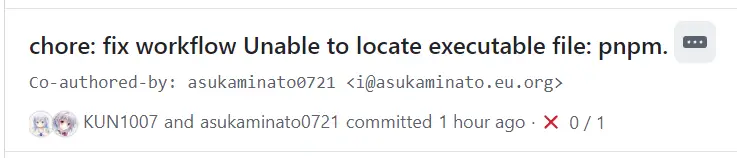
~ git commit -m "chore: add workflow typecheck
>
> Co-authored-by: asukaminato0721 <[email protected]>"
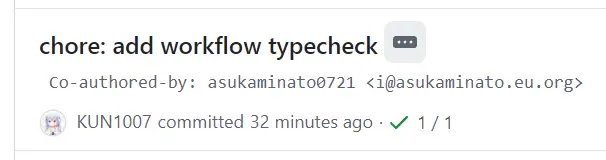
这里尤其要注意, Co-authored-by 左右不能有多余的空格, 否则会失效变成这样
最后 push 一下
Shell
~ git push origin master
感谢凑妈的指导
感谢我的好朋友凑妈的指导
肯定还有不对或者尚待改进的地方,欢迎联系我指出我的错误,大家的每一次纠错都是对我的最大帮助,谢谢